
Instacart Shopper: Earn money
InstacartShopping
4.259.88K Reviews
- Version
- 4.505.6-p
- Installs
- 10.00M
- Age Rating
- Everyone
Screenshots

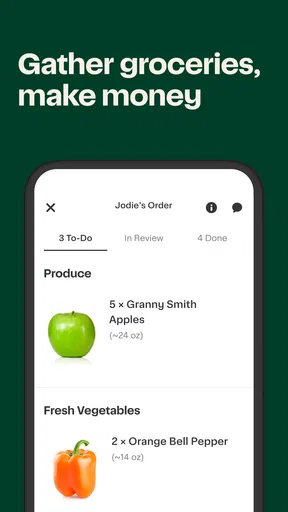
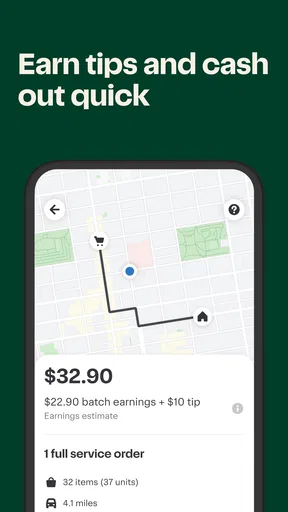
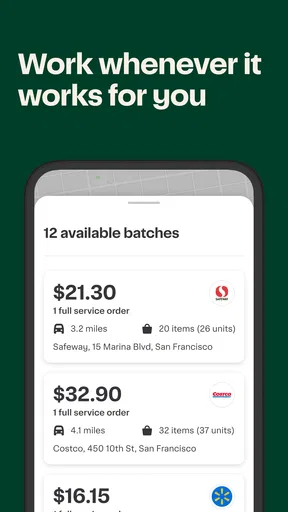
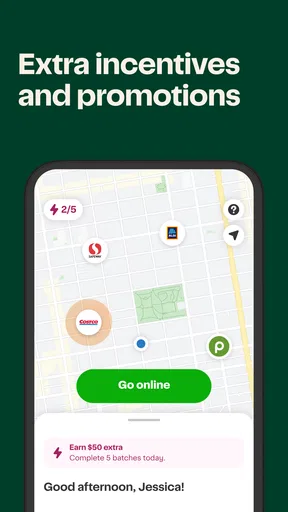
Our Review of Instacart Shopper: Earn money
 Analysis by Appyee
I approached Instacart Shopper: Earn money as a practical shopping-work app rather than as another grocery-ordering service. Its purpose is to help people find shopping opportunities, complete the work, and get paid for handling grocery and other purchases. That distinction matters: the experience is aimed at the person doing the shopping, not the customer waiting for a delivery.
My overall impression is that it makes the most sense for someone who already has a flexible routine, reliable transportation, and enough patience to judge each opportunity carefully. The app is free, rated for Everyone, and developed by Instacart. It has reached over 10 million installs, with an average rating of 4.2 from around 181 thousand ratings, so it is clearly used at a substantial scale. Still, popularity does not remove the need to think about travel time, store conditions, and how much effort a particular shop may require.
How the app feels during a real shopping shift
I judge a shopping shift by more than how quickly I can move through a list: the useful question is whether the task fits the time and attention I actually have. I’d build in a little room for a crowded aisle or an unavailable item, then use that same habit to decide which order details deserve a closer look before I begin.
Speed expectations before accepting work
The first thing I would watch is not raw launch speed but how quickly I can understand an available shopping opportunity. A useful work app needs to let me move from checking the screen to making a decision without unnecessary hesitation. In practice, the important question is whether the information presented is clear enough to judge the likely effort: the store, the shopping task, the delivery side, and the overall route all affect whether an order fits my day.
This is where the app can feel faster than a traditional job-search process. I do not need to arrange a fixed shift before seeing whether the work suits me. I can check the app around my own schedule and decide whether a particular opportunity is worth the time. That flexibility is one of its strongest practical qualities, especially for someone filling a gap between other commitments.
However, flexible does not mean effortless. A quick decision can be a bad decision if I focus only on the headline amount and ignore the number of items, the store layout, parking difficulty, checkout delays, or the distance between locations. My best advice is to build a short pause into the workflow. I would review the complete task before committing, rather than treating every visible order as income that should be grabbed immediately.
Compared with ordinary grocery shopping, the app adds a layer of planning. I am not simply choosing products for my own household; I am balancing someone else’s list against time, availability, and the practical work of transporting everything. Compared with a conventional part-time job, it offers more control over when I participate, but less predictability about how smooth a particular shopping run will be.
What happens when several tasks compete for attention
The heavier moments are likely to occur when I am checking an opportunity while moving through a busy store, dealing with substitutions, or trying to keep track of several pieces of a shop. This is not an app I would want to treat as a distraction while driving. I would review details before leaving, keep the phone secure during travel, and only handle the screen when safely parked or standing still.
Inside a crowded supermarket, the challenge is less about the app alone and more about the combination of app instructions and real-world uncertainty. Products may be arranged differently from what I expect, shelves may be crowded, and a requested item may not be available. A careful shopper should not rush simply because the app makes the task look digital. The physical work remains the central part of the experience.
One useful workflow is to group the list mentally by store section instead of walking back and forth for every item. I would also check packaging, size, and flavor closely before placing products in the cart. That small habit reduces the chance of returning to an aisle or discovering at checkout that the selected item is not the requested one. It is a simple improvement, but it matters more than trying to tap through screens quickly.
Another practical insight is to separate “app difficulty” from “shopping difficulty.” If the phone feels slow, that is a technical problem. If the shop takes longer because a product is missing, the store is crowded, or the order is unusually large, that is a workload problem. Keeping those two issues separate helps me decide whether I need a better device, a different shopping strategy, or simply more selective order acceptance.
Stability and recovery when a run goes off plan
Reliability matters more here than it does in a casual shopping app because a problem can interrupt an active task. A stable experience should help me return to the current piece of work after a brief interruption, such as losing focus, moving between areas of the store, or needing to put the phone away. I would not judge the app only by how it behaves during a perfect session; I would pay attention to how easily I can recover when the routine breaks.
My own approach would be conservative. Before starting a shop, I would make sure the phone has enough battery, keep the device accessible without holding it constantly, and avoid relying on a weak connection in an unfamiliar area. I would also take a moment to confirm where I am in the task whenever I reopen the app. That habit prevents a small interruption from becoming a missed item or a duplicated action.
Recovery is especially important when the store is noisy or the phone is receiving other notifications. I would silence nonessential alerts during the shopping portion and keep attention on the active order. If I had to leave the app temporarily, I would return to the task deliberately rather than assuming I remembered the last item correctly.
There is also a human side to reliability. A shopping app can display the task, but it cannot make every store predictable. A missing product, a long checkout line, or a difficult parking situation can still affect the outcome. That is why I see the app as a coordination tool, not a guarantee that every accepted opportunity will be quick or uncomplicated.
Device limits and everyday resource demands
The current version is 4.496.6-p and supports Android 8.0 or later. That makes the app accessible to people who do not own a recent flagship phone, but compatibility alone does not tell me how comfortable a particular older device will feel during a long shift. A phone with limited storage, an aging battery, or a screen that is hard to read outdoors can make the work more tiring even if the app installs normally.
I would be cautious about using a phone that is already struggling with everyday tasks. Shopping work involves repeated screen checks, movement between places, and a need for dependable battery life. A device that frequently closes background apps or takes a long time to return to the active screen may create friction at exactly the wrong moment. The app itself may not be demanding in the same way as a modern game, but the surrounding use can still be intensive.
Battery planning is one of the most overlooked issues. Navigation, screen brightness, mobile connectivity, and repeated use throughout a shift can consume more power than a short grocery trip. I would start with a full charge and carry a suitable power bank or use a safe charging setup in the vehicle. This is not about making the phone faster; it is about preventing a preventable interruption.
Storage is another sensible check. The app is free to download, but a free installation does not mean the phone has unlimited room for updates or other tools used during shopping. I would leave comfortable space available rather than waiting until the device is nearly full. Keeping the operating system and the app current can also reduce avoidable compatibility problems, provided the phone still meets the required Android version.
For iPhone users, the same general principle applies even though the stated minimum requirement here is for Android. The best experience will depend on the condition of the device, battery health, screen visibility, and connection quality, not just on whether the app appears in the store. I would choose the phone I can use safely and comfortably for repeated checks, not necessarily the newest model.
A realistic use case: fitting a shop around an existing day
Imagine I have a free block between morning responsibilities and an evening appointment. Instead of promising myself a fixed number of hours, I open the app, review the available work, and consider whether the route and shopping effort fit that window. If the task looks likely to push me into the next commitment, I would skip it. If it appears manageable, I would prepare before leaving: charge the phone, check the route, and make sure I have enough time for the store itself rather than counting only the driving.
During the shop, I would treat the list as a sequence to complete carefully, not a race. I would verify similar products, handle substitutions thoughtfully, and avoid checking the phone while moving through the parking lot. Once the shopping portion is finished, I would review the next step from a safe location. This workflow makes the app more useful because it combines its flexibility with realistic time management.
This scenario also shows who may benefit most. The app suits someone who values control over availability and is comfortable working independently. It may be useful as a side-income tool for a person who already travels around a local area and understands its stores. It is less attractive for someone who needs a guaranteed hourly schedule, dislikes customer-facing responsibility, or expects every task to have the simplicity of buying a few items for themselves.
Where it compares well with ordinary alternatives
The usual alternative is shopping for my own household, where I control the list, accept substitutions without explaining them, and can abandon the trip if the store is inconvenient. Instacart Shopper adds earning potential and a structured task, but it also adds accountability. I have to pay closer attention to item details and timing because the purchase is for someone else.
Another alternative is a conventional retail or warehouse job. That route may offer a more defined workplace and routine, while this app offers more freedom to decide when to participate. The trade-off is that independent shopping requires more self-management. I am responsible for judging whether the opportunity fits my time and energy, rather than simply arriving for an assigned shift.
Compared with using a standard delivery service as a customer, the shopper version reverses the priorities. The customer wants convenience and accurate fulfillment; the shopper needs clear task information, manageable travel, and a workflow that remains usable in a busy store. That is why I would evaluate this app less like a consumer marketplace and more like a field-work companion.
Who should use it, and who should look elsewhere
I would recommend trying it if you are comfortable navigating grocery stores, can organize your time without close supervision, and want work that can fit around other plans. It is particularly appropriate for people who can make careful decisions quickly without confusing speed with rushing. The free price also makes it easy to explore without paying an upfront app fee.
I would be more cautious if your phone has poor battery life, your connection is unreliable, or you need highly predictable earnings from every hour available. The app cannot remove the uncertainty created by store conditions and travel. Someone who dislikes carrying groceries, dealing with unavailable products, or making judgment calls may find a traditional role more comfortable.
It is also not the right tool if you are looking for a simple grocery-delivery app for personal orders. The store summary focuses on getting paid to shop, and that is the central experience. Installing it with the expectation of ordering dinner for yourself would lead to the wrong conclusion about what the app is designed to do.
My performance verdict after weighing the trade-offs
From a performance perspective, I see the app as most successful when the phone is prepared, the shopper is selective, and the task is approached methodically. Its value is not just in opening quickly; it is in supporting a repeatable process from opportunity review to shopping and completion. The app can make flexible grocery work more organized than arranging everything manually, but it does not turn physical shopping into effortless digital work.
The strongest practical advantage is the ability to fit shopping opportunities around an existing routine. The main friction comes from the variables outside the screen: store layout, product availability, traffic, parking, battery life, and the shopper’s own time estimates. Anyone considering it should judge the complete workflow rather than relying on the app’s presence alone.
Instacart Shopper has a mature public presence, with around 59 thousand written reviews alongside its broad install base, and the 4.2 average suggests a generally positive reception with room for individual experiences to vary. I would treat that as encouragement to test the workflow, not as a promise that every order or device will behave identically.
My final recommendation is straightforward: try it if flexible shopping work matches your lifestyle, but begin with realistic expectations and a prepared phone. Review each opportunity carefully, protect your battery, avoid unsafe screen use while traveling, and leave room for store delays. For the right person, this free Shopping app from Instacart can be a useful way to organize paid grocery work. For someone seeking fixed hours, guaranteed simplicity, or a personal grocery-ordering service, a different option will be a better fit.
Privacy and Permissions
See what permissions an app requests and how it handles your data.
- Location
- approximate location (network-based), precise location (GPS and network-based)
- Photos/Media/Files
- read the contents of your USB storage, modify or delete the contents of your USB storage
- Storage
- read the contents of your USB storage, modify or delete the contents of your USB storage
- Camera
- take pictures and videos
- Microphone
- record audio
- Wi-Fi connection information
- view Wi-Fi connections
- Other
- view network connections, pair with Bluetooth devices, change network connectivity, connect and disconnect from Wi-Fi, full network access, change your audio settings, control Near Field Communication, run at startup, control vibration, prevent device from sleeping, read Google service configuration
Verdict
Strengths of Instacart Shopper: Earn money
- Choose your own schedule and work when it suits you.
- See estimated earnings and customer tips before accepting orders.
- Multiple order types provide flexibility throughout the day.
- In-app navigation helps locate stores and complete deliveries efficiently.
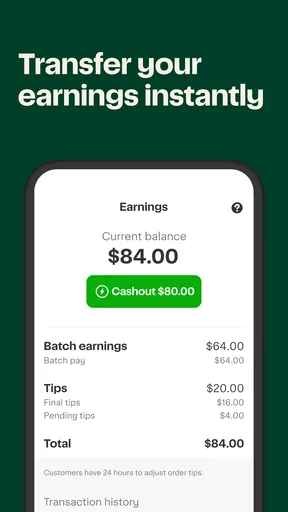
- Instant cash-out options can provide faster access to eligible earnings.
Limitations of Instacart Shopper: Earn money
- Earnings can vary significantly by location, demand, and available batches.
- Shopping for large orders may require considerable time and physical effort.
- Vehicle, fuel, phone, and maintenance costs reduce your actual profit.
- Store delays and substitutions can make deliveries take longer than expected.
- Availability and eligibility requirements may differ by market and region.
Other Releases by Instacart
View All
Instacart: Get Food Delivery
Food & Drink4.8

El Super
Food & Drink4.2
Similar Picks in This Category
View All
SHEIN-Shopping Online
Roadget Business PTE. LTD.4.8

Amazon Shopping
Amazon Mobile LLC4.4


Mercado Libre: Compras online
Mercado Libre4.8

Wish: Shop and Save
Wish US Holdings LLC4.7

Alibaba.com - B2B marketplace
Alibaba Mobile4.4
Frequently Asked Questions
What is Instacart Shopper: Earn money, and how does it work?
Instacart Shopper is a gig-work app that lets you earn money by shopping for and delivering customers’ grocery orders. After creating an account and completing the required verification process, you can view available batches, check the estimated pay and distance, shop at participating stores, and deliver the items. The work is flexible, but earnings and order availability can vary by location, time, demand, tips, and your personal expenses.
What are the requirements to become an Instacart Shopper?
Requirements can vary depending on your location and whether you shop and deliver by car or work as an in-store shopper. Generally, applicants must meet the minimum age requirement, have a compatible smartphone, pass identity and background checks, and provide valid personal information. Drivers typically need reliable transportation, a valid driver’s license, insurance, and enough space for groceries. The app explains the current requirements during registration.
How much money can I make with Instacart Shopper?
Your earnings depend on the batches you accept, the number of orders available, shopping speed, delivery distance, customer tips, promotions, and local demand. The app normally shows estimated batch earnings before you accept an order, helping you compare opportunities. However, the displayed amount is not a guaranteed hourly wage, and fuel, vehicle maintenance, taxes, phone costs, and unpaid waiting time can reduce your actual profit.
Do I need my own car to use Instacart Shopper?
A personal vehicle is generally necessary if you want to shop and deliver orders, especially when batches involve multiple stores or longer distances. You must also meet applicable licensing and insurance requirements. In some markets, Instacart may offer in-store shopper opportunities that do not require delivery, but availability is limited and depends on local operations. Check the registration flow to see which shopper options are offered in your area.
Is Instacart Shopper available everywhere, and is the app free to download?
The Instacart Shopper app is generally free to download, but becoming a shopper is subject to availability in your region. Some locations may have waitlists, limited batches, or no active openings at all. Before signing up, confirm that Instacart operates in your city and review the app’s permissions, payment information, insurance guidance, and independent-contractor terms. Downloading the app does not guarantee immediate approval or income.
